在香氣中,找回生活的秩序。精選科技工具、桌面收納與質感生活好物。
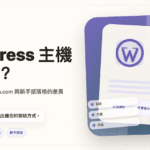
WordPress Hosting Guide 2026: Hostinger vs WordPress.com for Beginners
If you want to start a blog, creator website, small business site, or affiliate content project, one of the first questions is simple but confusing: should you use WordPress.com, or should you buy hosting and run self-hosted WordPress?
The short answer: choose WordPress.com if you want a simpler writing platform with less maintenance. Choose Hostinger plus self-hosted WordPress if you want more flexibility for SEO, plugins, affiliate links, comparison tables, and long-term site control.
Quick Comparison
| Your goal | Better starting point | Why |
|---|---|---|
| Start writing with less setup | WordPress.com | The platform handles much of the hosting and maintenance. |
| Build a long-term SEO content site | Hostinger + self-hosted WordPress | More control over plugins, tracking, speed, SEO, and layout. |
| Test whether you can publish consistently | WordPress.com or a low-cost hosting plan | Keep the starting cost and pressure low. |
| Build an affiliate website | Hostinger + self-hosted WordPress | Easier to manage CTAs, comparison tables, tracking, and custom design. |
Check Hostinger WordPress hosting plans
WordPress.com vs Self-Hosted WordPress
WordPress.com is a hosted platform. It helps you start faster because hosting, basic maintenance, security, and updates are handled by the platform.
Self-hosted WordPress means you buy hosting, install WordPress, and manage more of the site yourself. It takes more responsibility, but gives you more control.
| Feature | WordPress.com | Self-hosted WordPress |
|---|---|---|
| Setup difficulty | Lower | Medium |
| Maintenance | Lower | You handle more of it |
| Plugin flexibility | Depends on plan | Highest flexibility |
| SEO control | Good for basic publishing | Stronger for content sites |
| Affiliate content layout | Simpler | Easier to customize |
| Best for | Creators, portfolios, simple blogs | SEO blogs, affiliate sites, business sites |
When Hostinger Makes Sense
Hostinger is worth considering if your goal is to build a long-term content website. It is especially useful when you want to install SEO plugins, build comparison tables, manage affiliate CTAs, add tracking tools, and adjust your layout over time.
When WordPress.com Makes Sense
WordPress.com is better if you want to reduce maintenance and start writing quickly. If your priority is publishing, portfolio building, or a simple creator website, it can be the calmer first step.
Suggested Next Step
If you want flexibility for SEO and affiliate content, start by comparing Hostinger’s current WordPress hosting plans. If you want a simpler way to publish without handling hosting, compare WordPress.com plans first.
Check Hostinger WordPress hosting plans
Affiliate Disclosure
This article contains affiliate links. If you sign up or purchase through these links, BakedOrderly may earn a commission at no extra cost to you. Prices, plans, and promotional terms may change, so please confirm the latest details on the official websites before purchasing.